Insightro AI connects directly to your SAP Business One database — HANA or SQL Server — and turns plain-language questions into governed SQL, live dashboards, and decisions your team can act on today.
Runs on your own servers · No data leaves your network
Insightro AI sits on top of your existing SAP Business One system. No migration, no re-entry, no waiting on the IT queue.
Sales, receivables, inventory, and margins on widget-based dashboards that refresh from your live database — arranged per role, per user.
Type a business question in everyday English. Insightro converts it into safe, governed SQL against curated reporting views and answers with data and charts.
Root and admin controls decide who sees which dashboards, widgets, and figures. Finance sees finance; sales sees sales; the CEO sees everything.
Native connectivity to SAP HANA and Microsoft SQL Server backends through a dedicated reporting schema — built for real production databases.
A curated reporting layer designed to grow into forecasting and anomaly detection — so today's dashboards become tomorrow's early-warning system.
A purpose-built desktop application — quick to open, quick to query, and comfortable for teams that live in their numbers all day.
Deployment is measured in days, not months — because Insightro works with the SAP system you already run.
Insightro connects to your SAP Business One database through a dedicated, read-only reporting schema. Your transactional system stays untouched.
Users open role-based dashboards or simply type a question. The AI engine translates it into governed SQL against curated views — never raw tables.
Answers come back as figures, tables, and charts with AI commentary — ready for the morning meeting instead of next week's report request.
One screen for the health of the business — KPIs, trends, aging, and an AI analyst on call.
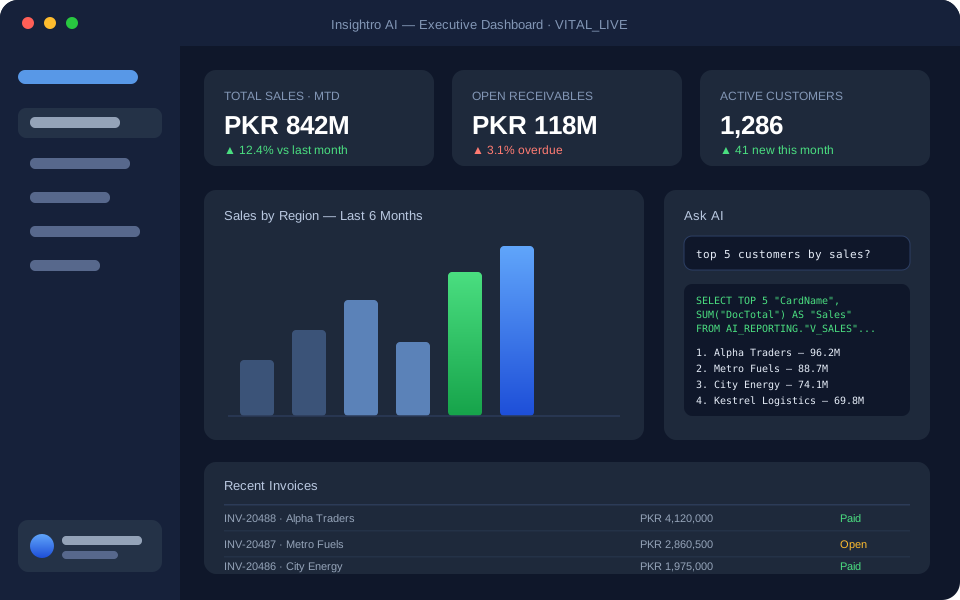

Under the hood, Insightro AI pairs a curated SAP Business One reporting schema with a language model that translates business questions into precise, governed SQL. It knows your documents, your dimensions, and your data model — so answers come back in seconds, grounded in your real numbers, never guesswork.
Insightro AI was built inside a regulated enterprise environment — security is the foundation, not a feature.
Runs entirely inside your network. Business data is never uploaded to a public cloud or third-party storage.
All queries run against a curated, read-only schema of views — the AI can never modify, delete, or reach beyond approved data.
Role-based access control down to the widget level, with root and admin oversight over every dashboard and data view.
Every AI-generated query is visible and reviewable — your team always sees exactly what SQL ran and why.
Every deployment includes installation support and onboarding. Pricing is tailored to company size and user count — request a quote below.
For small teams getting serious about reporting
For companies that want answers, not backlogs
For groups, multi-company setups, and regulators' favourites
Tell us a little about your setup and we'll walk you through Insightro AI on a live system — and show what it would look like connected to yours.